SSH Askpass (excerpt from my article)
A tiny bit about working with SSH and making a graphical askpass work on Ubuntu 26.04
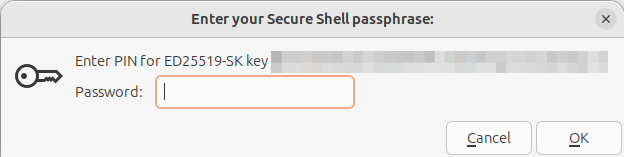
I wanted to make VSCodium prompt me for my YubiKey PIN when I do a git push. It “should” be easy, right? It works for you out of the box, after all. But that’s because you’re not as security-conscious as I am. 😉
I have a YubiKey that holds my SSH key for GitLab. It requires a PIN to use, and I have to enter it when I run git push on the command-line. But VSCodium support was missing. And it all goes back to the fact that the YubiKey holds my SSH key more securely than any other option.
Quick aside: I’m rather active in NolaSec, and I’m a huge fan of saying that I can help novice speakers turn ANYTHING they research into at least a 20-minute presentation.
In that vein, I did a write-up tonight of this problem after solving it earlier in the evening. This is a good 30 to 40 minutes of a talk, and I may make that presentation one day. But for now it’s just an article.
There are a lot of moving parts at play in the scenario.
- A bug in VSCode
- A million articles with outdated recommendations
- Multiple graphical
ssh-askpasstools already installed on my system - A bug in the graphical
ssh-askpasstool I chose - Wayland’s security model
- A sideways workaround
Honestly, without VSCode’s naïve behavior causing the bug, I never would have gone down this rabbit hole. But being forced to go to a terminal window and manually git push every time becamse tedious; an extra step in a world where I prefer to automate away the boring parts of work.
So I found a good graphical ssh-askpass program to run that was already installed on my system—there were four. Then I identified the problem causing a Wayland pop-up every time it ran. And finally created the workaround with the help of GNOME-Shell’s lookingglass (steps not included in the article for brevity).
Read the full solution in my article SSH_ASKPASS: A Saga in 3 Parts.
Depending on the response, I might post how I have VSCodium set to git pull every 5 minutes without using the SSH key (or having to enter my PIN).